
Let anyone who has never gotten angry when receiving unwanted video (and even voice) calls via email cast the first stone. WhatsApp. But don't worry, you don't have to worry about this anymore, because there is a solution.
WhatsApp offers many privacy settings, including options Manage video calls.
With this in mind, Escola Educação brings you a step-by-step guide showing how to mute or block video calls on WhatsApp, giving you full control over who can contact you.
How to silence calls from unknown numbers
For users who receive a lot of unwanted calls from unsaved numbers, WhatsApp allows Settings A simple way to avoid this hassle.
Follow the following steps:
on android
- Access settings: Open WhatsApp, click on the three dots in the upper right corner and select “Settings”;
- go to 'PrivacyThen click “Calls”;
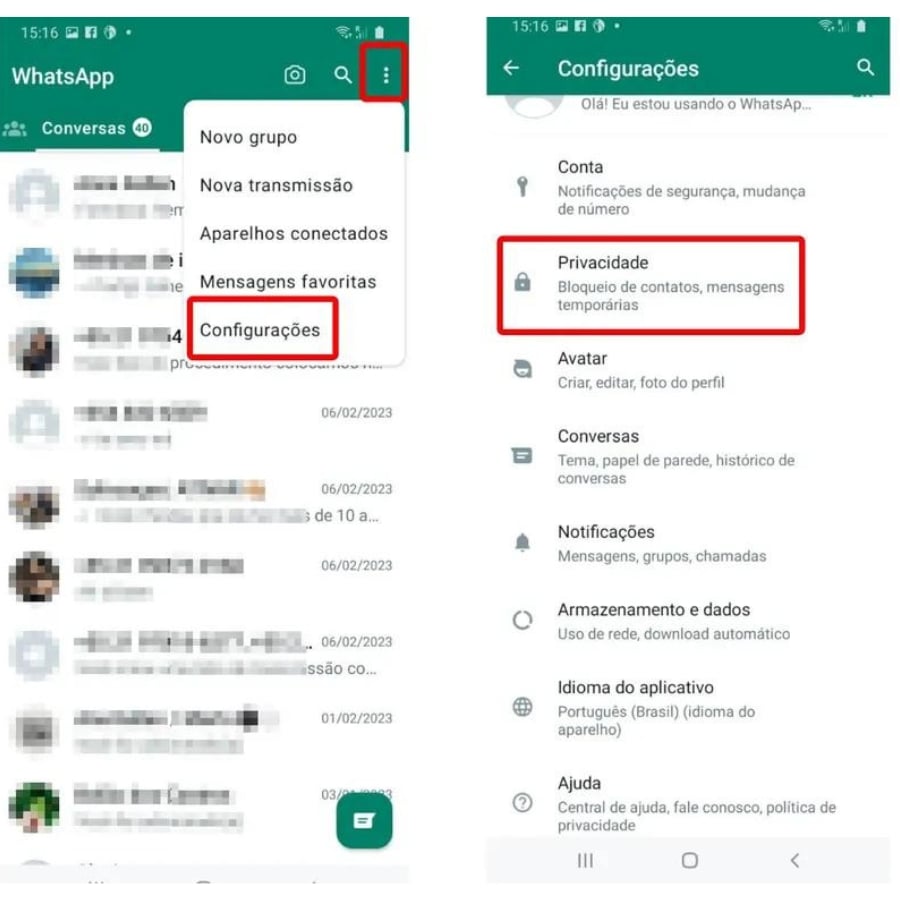
How to mute calls on an Android mobile phone (Part 1). Image: TechTudo/Anna Killen/Reproduction
- Finally, activate this option so that incoming calls from numbers not saved in your contacts are automatically silenced.
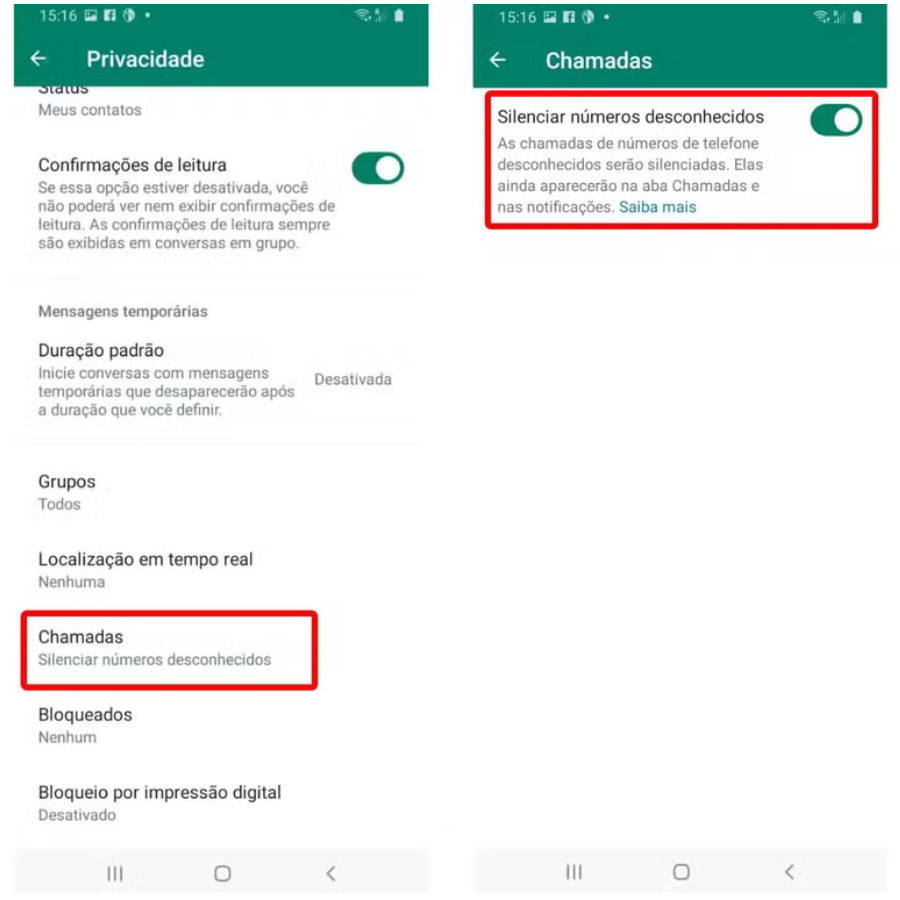
How to mute calls on an Android mobile phone (Part 2). Image: TechTudo/Anna Killen/Reproduction
On iPhone (iOS)
- Open the messenger and select “Settings” in the bottom menu;
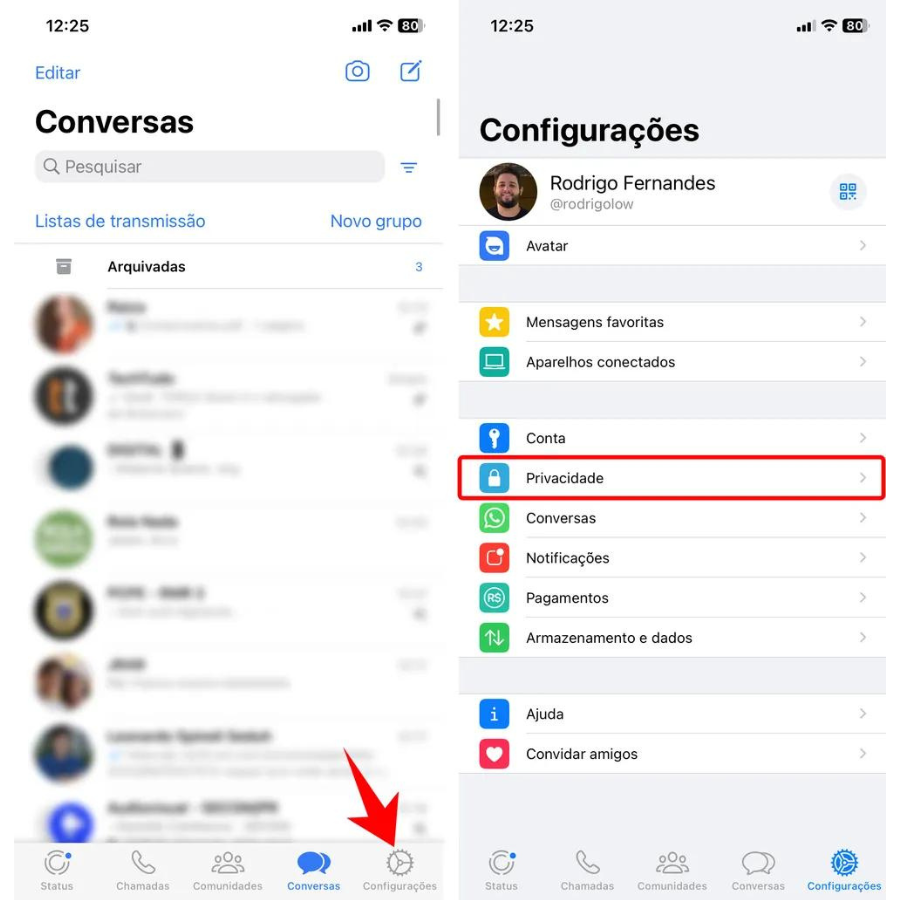
How to Mute Calls on iPhone (Part 1). Image: TechTudo/Anna Killen/Reproduction.
- Tap on “Calls” and enable the “Silence Unknown Numbers” option.
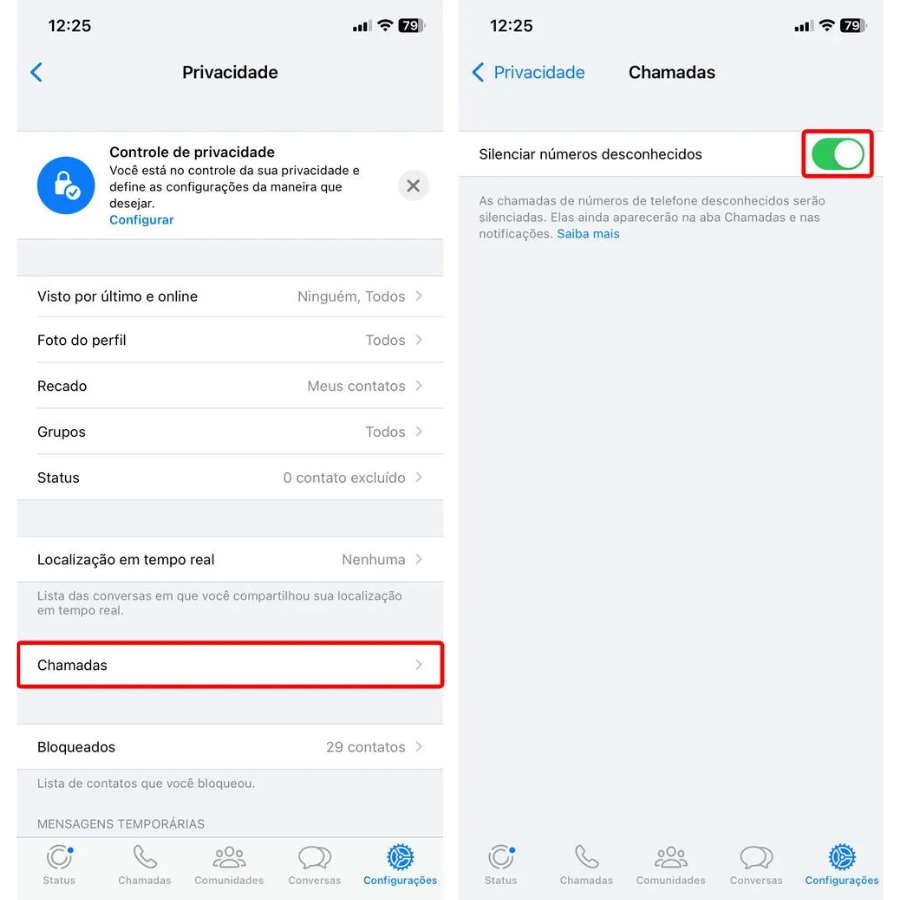
How to Mute Calls on iPhone (Part 2). Image: TechTudo/Anna Killen/Reproduction.
These settings prevent your phone from ringing, but the calls will be recorded in your call log so you can see who tried to call you.
How to block video calls from a specific contact
If there is a specific contact you want Block video callsThe approach is clear and straightforward:
- Go to the conversation with the desired person;
- Click on the contact name at the top to access the profile;
- Scroll down to the “Block” option and confirm your selection.
When you block a contact, you won't receive messages, calls, or video calls from that person.
How to disable call notifications
For those who prefer not to receive email alerts Video callsBut you don't want to block contacts completely, you can disable call notifications:
on android
- Open the conversation, tap the contact's name and go to Custom Notifications;
- Enable “Use custom notifications,” and disable ringtone and vibration.
On iPhone
- Tap the contact's name, then select Mute and choose the duration.
These steps ensure that you get notifications of new messages without being disturbed by calls.
Configure your video calling preferences in WhatsApp It's a simple process that helps you enjoy more privacy when using the app.
*With information from TechTudo, TecMundo, and Terra.

Edward Langley is a contributor at Mediarunsearch.co.uk, covering a wide range of topics including news, politics, business, technology, sport, entertainment and lifestyle. He focuses on delivering clear, balanced reporting and useful information that helps readers stay informed about current affairs and developing stories. His work highlights issues, trends and events that matter to everyday audiences, with an emphasis on accuracy, relevance and accessible journalism.